
1 active filter
1 active
Build a secure and organized IT setup with server racks from ITbazar.net. Available in 2U, 6U, 12U, 22U, 32U, and 42U sizes, our wall-mount cabinets, open-frame racks, and floor-standing enclosures help businesses protect servers, switches, UPS systems, and networking equipment. Improve airflow, manage cables efficiently, and scale your infrastructure for offices, server rooms, and data centers in Bangladesh.
Showing 6 of 18 products
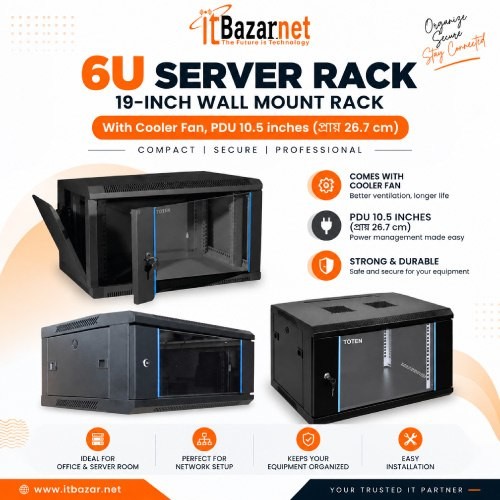
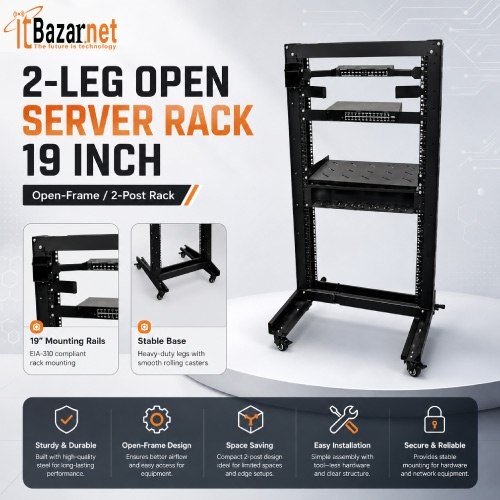
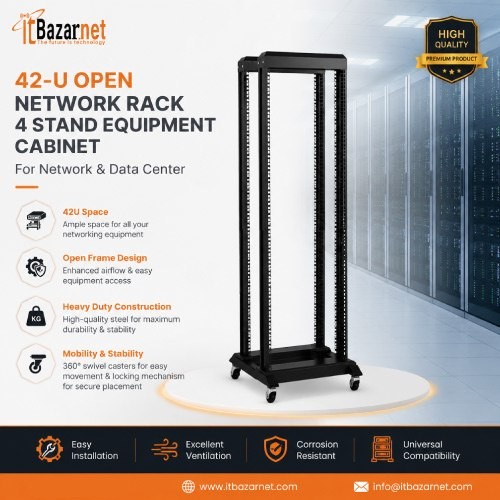
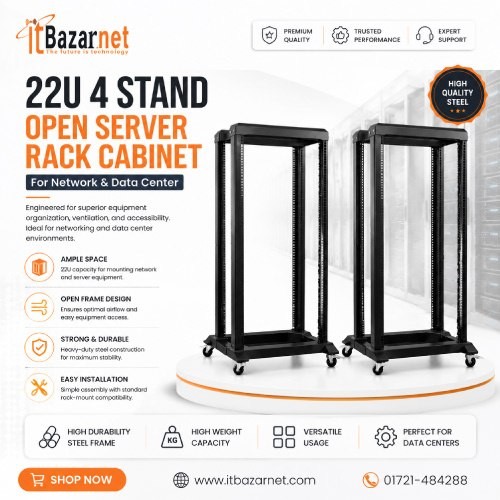
A server rack is a standardized cabinet or frame used to mount and organize IT equipment such as servers, network switches, routers, UPS systems, patch panels, PDUs, and storage devices. It keeps hardware secure, improves cable management, supports airflow, and makes maintenance easier in offices, server rooms, and data centers.
Server racks are measured in “U” units. One U equals approximately 1.75 inches of vertical space. Therefore, a 2U rack offers two units of mounting space, while a 42U rack provides 42 units. The higher the U count, the more equipment the rack can accommodate.
A server rack is a better option than placing equipment on a table or shelf because it protects valuable IT hardware, reduces cable clutter, improves ventilation, and makes future upgrades easier. It also gives a server room a professional, organized appearance.
For businesses running multiple devices continuously, a rack is especially important. Servers, switches, UPS units, and network equipment generate heat and need proper spacing. A rack helps maintain airflow while reducing the risk of accidental disconnection or physical damage.
A “U” is the standard height measurement for rack-mounted equipment. One U is approximately 1.75 inches, or 44.45 mm. A 1U server occupies one rack unit, while a 2U switch occupies two units.
A 2U rack provides around 3.5 inches of mounting height and is suitable for compact wall-mount networking. Racks from 4U to 6U offer roughly 7 to 10.5 inches of space and are commonly used for small office racks and CCTV equipment.
Racks from 9U to 12U provide about 15.75 to 21 inches of mounting space. They are suitable for small server rooms, branch offices, and network closets that need space for switches, UPS units, and patch panels.
A 15U to 22U rack offers approximately 26.25 to 38.5 inches of vertical space. These racks are ideal for growing offices and network rooms that require more equipment capacity and expansion room.
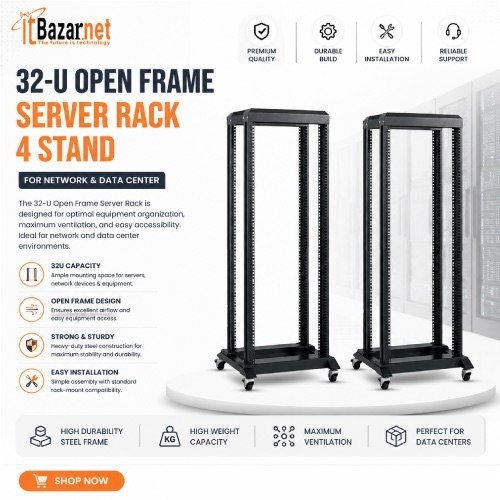
A 32U rack provides around 56 inches of mounting height and suits server rooms, ISPs, and medium-sized data centers. A 42U rack offers about 73.5 inches and is the standard choice for full-size data center and enterprise installations.
Before buying, calculate the total U space required by all current devices and leave extra space for airflow and future expansion.
The best server rack type depends on your available space, security needs, airflow requirements, and equipment capacity. The main options are wall-mount racks, open-frame racks, floor-standing closed racks, and data center cabinets.
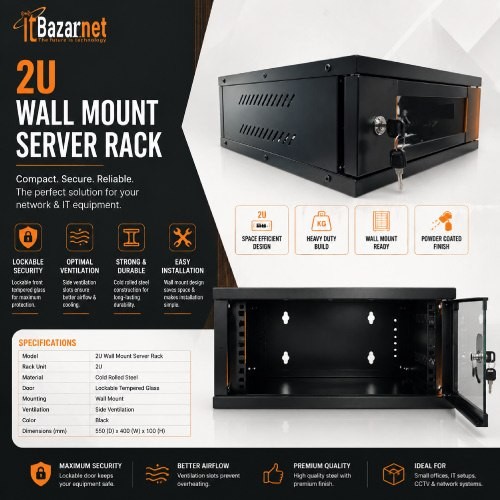
A wall-mount server rack is a compact enclosed cabinet fixed to a wall. It is ideal for small offices, shops, CCTV rooms, branch offices, and locations where floor space is limited.
Wall-mount racks commonly come in 2U, 4U, 6U, 9U, 12U, and 15U sizes. Many models include a glass front door, ventilation holes, cable-entry points, a lock, and sometimes a built-in PDU or cooling fan.
An open server rack is a frame without side panels or doors, allowing maximum airflow and easy access to equipment. It is commonly used in ISP rooms, network operation centers, and internal server rooms where physical security is already controlled.
Open racks are available in 2-post and 4-post designs. A 2-post rack is lighter and suitable for network equipment, while a 4-post rack provides better support for heavier servers and UPS units.
A floor-standing server rack is a closed cabinet that rests on the floor. It usually includes front and rear doors, side panels, adjustable feet, casters, cable management, and ventilation fans. It is suitable for offices, server rooms, and growing IT environments.
Floor-standing racks commonly come in 22U, 32U, and 42U sizes. They offer better protection than open racks and are ideal when equipment must be secured from dust, accidental contact, or unauthorized access.
A data center cabinet is a heavy-duty server rack designed for high-density IT environments. It often includes perforated doors, cable management, PDU mounting, cooling support, and higher load capacity.
These cabinets are suitable for enterprise data centers, ISP core rooms, large offices, and organizations that require continuous operation and scalable infrastructure.
A server rack and a network rack are similar, but they are designed for different equipment loads. A server rack is usually built for heavier devices such as servers and UPS systems, while a network rack is often used for switches, patch panels, routers, and smaller networking devices.
Server racks generally offer higher load capacity, greater depth, and stronger cooling support. They are commonly available in 22U, 32U, and 42U sizes and are best for data centers and server rooms.
Network racks are usually shallower and support lower to medium loads. They commonly come in 2U, 6U, 9U, and 12U sizes, making them suitable for offices and network closets.
In practice, many buyers use the terms interchangeably. A 19-inch rack can support both server and networking equipment if its depth, load capacity, and cooling are suitable.
Most server racks are called 19-inch racks because 19 inches is the standard mounting width for rack-mounted IT equipment. Most servers, switches, patch panels, and UPS systems are designed to fit this rail spacing.
Although the mounting width is 19 inches, the external cabinet width may be 600 mm or more. Depth also varies, commonly ranging from around 450 mm to 1,000 mm depending on the equipment being installed.
A 2-post rack has two vertical rails and is lighter, while a 4-post rack has four rails and provides better support for heavy equipment.
A 2-post rack is suitable for switches, patch panels, and light network equipment. It offers lower load support but is a practical choice for compact network installations.
A 4-post rack is better for servers, UPS systems, storage devices, and other heavy equipment. Its four-rail structure provides greater stability and safer weight distribution.
Open-frame racks have no doors or side panels and are popular in ISP rooms and internal server rooms. Closed cabinets are enclosed with doors and panels, making them better for offices and secure server rooms. Load support depends on the specific model. For heavy servers and UPS systems, a 4-post rack is generally safer and more stable.
Server rack prices in Bangladesh depend on rack size, material thickness, brand, load capacity, depth, cooling fans, PDU inclusion, and build quality. Small wall-mount racks start around ৳3,500–৳5,200, while large 42U data center cabinets can cost more than ৳1,00,000.
Approximate price: ৳2,900–৳5,000
Best for: Compact networking and CCTV installations.
Approximate price: ৳3,500–৳6,500
Best for: Small offices and shops.
Approximate price: ৳6,500–৳18,000
Best for: Branch offices and small server rooms.
Approximate price: ৳11,500–৳20,500
Best for: Growing offices that need additional networking capacity.
Approximate price: ৳27,000–৳45,000
Best for: Medium-sized server rooms.
Approximate price: ৳11,500–৳25,000
Best for: ISP rooms and internal server rooms.
Approximate price: ৳35,000–৳58,000
Best for: Offices and business server rooms requiring protection and a cleaner appearance.
Approximate price: ৳10,500–৳28,000
Best for: Data centers and ISP rooms.
Approximate price: ৳60,000–৳1,37,000+
Best for: Enterprise and high-density data center deployments.
Common server rack brands in Bangladesh include Toten, SafeNet, Solitine, Cote, Nexakey, DateUp, Avanix, Vivanco, and Huawei-compatible rack solutions. These brands offer products ranging from compact wall-mount cabinets to enterprise-grade 42U data center racks.
Toten offers a wide range of wall-mount, open, and floor-standing racks for offices, server rooms, and ISPs. Its products are commonly used for both small networking installations and larger data center setups.
SafeNet is known for PDU-equipped cabinets and data center racks. It is a practical option for businesses and enterprises that need organized power distribution within the rack.
Solitine offers affordable server cabinets and racks for SMEs and offices, while Cote provides standard server and network racks for offices and small data centers.
Nexakey focuses on compact wall-mount racks for small offices and CCTV rooms. Avanix offers wall-mount and networking racks suitable for small and medium offices.
DateUp provides mesh-door and data center cabinets for enterprises and data centers. Vivanco offers wall-mount rack options for basic networking installations.
When comparing brands, check steel thickness, load capacity, door quality, fan quality, PDU inclusion, and warranty support.
Start by listing every device you plan to install, including servers, switches, UPS units, patch panels, PDUs, and future equipment. Then calculate the total U requirement and add spare space for airflow and expansion.
A 2U, 4U, or 6U wall-mount rack is usually enough for a router, switch, small UPS, and patch panel. These racks save space and keep networking equipment organized.
A 9U, 12U, or 15U wall-mount rack is suitable when you need to install multiple switches, a UPS, patch panels, and network accessories. For growing businesses, a 22U floor-standing rack offers more flexibility.
A 32U or 42U rack is usually better for servers, UPS systems, multiple switches, patch panels, and cable management. Open racks are popular in ISP environments, while closed racks are preferred where physical protection is important.
A 42U floor-standing cabinet is the standard choice for many enterprise data centers. It provides enough space for servers, networking equipment, PDUs, cable management, and cooling accessories.
Rack depth determines whether your servers, UPS units, and cable-management accessories will fit properly. A rack that is too shallow may not support deeper servers or may restrict cabling space.
This depth is common in compact wall-mount racks and light networking installations.
A 600 mm depth suits standard networking equipment and small server setups.
An 800 mm depth is better for servers, UPS units, and installations that need improved cable management.
A 1,000 mm depth is suitable for deep servers, enterprise racks, and data center cabinets.
Before buying, check the depth specification of your server, UPS, and switch. Leave extra room at the rear for power cables, network cables, and airflow.
Rack load capacity tells you how much weight the rack can safely support. Servers, UPS systems, and batteries can be heavy, so exceeding the load limit can damage the rack or create safety risks.
For example, some 32U open racks support up to 150 kg static load, while heavy-duty closed cabinets may support much more. Always check both the rack’s load rating and the floor’s ability to bear the total weight.
A PDU, or Power Distribution Unit, distributes electricity from a wall outlet or UPS to multiple devices inside the rack. It helps organize power cables and may include surge protection, circuit breakers, metering, or remote outlet control.
Many wall-mount racks come with a pre-installed PDU. For larger server rooms, a metered or intelligent PDU is useful because it helps monitor power consumption and prevent circuit overload.
Not every server rack needs cooling fans, but cooling becomes important when the rack contains servers, UPS systems, or multiple switches that generate heat. Proper airflow prevents overheating, hardware throttling, and premature failure.
Wall-mount racks may include one or two top-mounted fans, while larger floor-standing racks may include four or more low-noise fans. For high-density data centers, rack fans alone may not be enough; dedicated room cooling and airflow management are also required.
Proper cable management keeps power and network cables organized, improves airflow, reduces accidental disconnection, and makes troubleshooting much easier. It also gives the server room a cleaner and more professional appearance.
Use cable trays, Velcro ties, patch panels, labels, and separate routing for power and data cables. Avoid mixing power cables directly with Ethernet cables, as this can create interference and make future maintenance difficult.
A patch panel organizes network cable connections in one central location. It allows technicians to connect, rearrange, and troubleshoot network ports without handling long permanent cables.
Patch panels are commonly installed in 1U or 2U rack spaces and paired with switches. They are especially useful in offices, server rooms, CCTV systems, and structured cabling installations.
Proper installation improves safety, cooling, and long-term reliability. Choose a level floor or strong wall, keep enough clearance around the rack, and ensure the rack is not exposed to moisture, direct sunlight, or excessive heat.
For wall-mount racks, confirm that the wall can support the total weight of the rack and equipment. For floor-standing racks, use adjustable feet or casters as appropriate and secure the rack if required. Keep heavy equipment near the bottom of the rack and lighter equipment higher up.
Place heavier devices such as UPS systems and servers lower in the rack to maintain stability. Install switches and patch panels where cable access is easy, and leave ventilation space between heat-generating devices.
Use the top section for patch panels, cable managers, and lightweight accessories.
Install network switches in the upper-middle section for convenient cable access and airflow.
Place servers and storage devices in the middle section, where they are easy to access and maintain.
Position UPS systems, batteries, and rack-mounted power equipment near the bottom to improve stability and weight distribution.
This arrangement improves stability, simplifies cable routing, and supports better airflow.
A wall-mount cabinet is a type of server rack designed to be fixed to a wall. It is smaller than a floor-standing rack and is best for compact installations.
Wall-mount cabinets are ideal when floor space is limited, but they have lower weight and equipment capacity. Floor-standing racks are better for larger server rooms, data centers, and installations with heavy equipment.
Make a list of all rack-mounted devices and add their U heights. For example, a 1U switch, 2U server, 2U UPS, and 1U patch panel require 6U in total. Always add spare U space for future devices and airflow.
Typical Rack Space Requirements
If your current equipment needs 12U, a 15U or 22U rack may be a better long-term choice because it leaves room for expansion.
A quality server rack improves organization, protection, cooling, maintenance, and scalability. It also helps reduce cable clutter and makes the IT environment easier to manage.
These benefits make a server rack a foundational part of any serious IT infrastructure.
Inspect your server rack regularly for dust buildup, loose cables, overheating, fan failure, and physical damage. Clean ventilation panels and fans carefully, and ensure that cables remain properly labeled and secured.
For business-critical environments, schedule maintenance every few months. Check UPS batteries, monitor temperature, verify switch performance, and confirm that all equipment is securely mounted. Preventive maintenance reduces downtime and extends equipment life.
A server rack is a cabinet or frame used to mount servers, switches, UPS systems, patch panels, and other IT equipment in an organized way.
A 12U rack provides 12 rack units of vertical mounting space. One U is approximately 1.75 inches, so a 12U rack offers about 21 inches of usable mounting height.
A 4U, 6U, or 9U wall-mount rack is usually suitable for a small office. It can hold a router, switch, small UPS, and patch panel while saving floor space.
A 42U floor-standing data center cabinet is commonly used for enterprise and high-density installations. It offers more space for servers, switches, PDUs, cable management, and cooling equipment.
Server rack prices generally start from around ৳3,500–৳5,000 for small wall-mount models and can exceed ৳1,00,000 for large 42U data center cabinets.
An open rack has no doors or side panels and offers better airflow, while a closed rack is enclosed and provides better physical protection and dust control.
If you have multiple devices, a PDU is highly recommended. It distributes power neatly inside the rack and can include surge protection or power monitoring.
Yes. A wall-mount or floor-standing rack can organize NVRs, PoE switches, routers, UPS units, and patch panels for CCTV systems.
A 19-inch rack uses the standard mounting width for most rack-mounted IT equipment, including servers, switches, and patch panels.
Toten, SafeNet, Solitine, Cote, Nexakey, DateUp, and Avanix are popular options. The best brand depends on your rack size, load requirement, budget, and installation environment.

 PC Builder