1 active filter
1 active
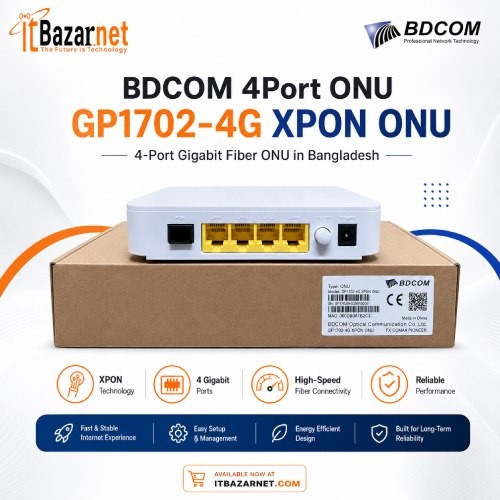
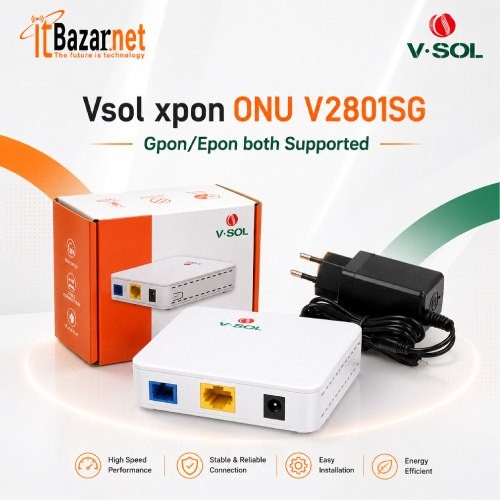
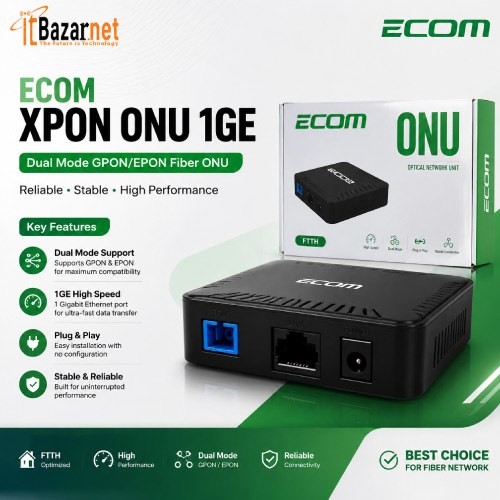
Looking for the best ONU price in Bangladesh? ITbazar.net offers EPON, GPON, and XPON optical network units for home fiber, office broadband, ISP deployment, and FTTH networks. Compare single-port, Gigabit, Wi-Fi, dual-band, and multi-port ONU devices from trusted networking brands and choose the right fiber terminal for stable high-speed internet.
Showing 3 of 15 products
An ONU (Optical Network Unit), also known as an ONT (Optical Network Terminal), is the fiber device installed at a home, office, or building to connect a fiber-optic internet line to local networking equipment. It receives light signals from the ISP’s OLT through the fiber cable and converts them into Ethernet signals that routers, computers, switches, Wi-Fi access points, IP cameras, and other devices can use.
For anyone using FTTH, FTTB, or another fiber-based broadband service, the ONU is the essential bridge between the ISP’s optical network and the customer’s local network. Without an ONU, a standard router cannot directly understand the optical signal carried through fiber.
How does an ONU convert fiber internet into a usable connection? The ISP sends data through an optical fiber network to the ONU installed at the customer premises. The ONU then changes the incoming optical signal into electrical Ethernet signals and passes them to a router, computer, switch, or Wi-Fi device.
When you upload data, the process works in reverse. The ONU receives electrical signals from your devices, converts them into optical signals, and sends them back toward the ISP’s OLT. This two-way conversion is what makes high-speed fiber broadband possible.
Many buyers search for “ONU vs ONT” or “ONU vs OLT” because these terms appear together in fiber networking. An ONU and an ONT are generally the same type of customer-side fiber device, while an OLT is the ISP-side device that manages multiple ONUs across a passive optical network.
| Device | Full Form | Location | Main Function |
| ONU | Optical Network Unit | Customer premises | Converts fiber signal to Ethernet |
| ONT | Optical Network Terminal | Customer premises | Terminal device for FTTH connections |
| OLT | Optical Line Terminal | ISP or data center | Manages fiber subscribers and ONU connections |
| Router | Network router | Home or office | Distributes internet and manages Wi-Fi/local network |
| Switch | Network switch | Home or office | Expands wired Ethernet connections |
In Bangladesh, ONU and ONT are used interchangeably. Therefore, a product named “GPON ONT,” “EPON ONU,” or “XPON ONU” is usually a fiber terminal intended for the subscriber side of the network.
Which type of ONU should you buy in Bangladesh? The main options are EPON ONU, GPON ONU, XPON ONU, Wi-Fi ONU, bridge ONU, router ONU, and multi-port ONU. The right choice depends on your ISP’s fiber technology, internet speed plan, number of users, and whether you need built-in Wi-Fi.
An EPON ONU works with an Ethernet Passive Optical Network. EPON is widely used for FTTH and shared broadband deployments, especially where ISPs use Ethernet-based PON infrastructure.
EPON ONUs commonly support up to 1 Gbps in both download and upload directions. This makes them suitable for households, small offices, and users who need balanced upload and download speeds for video calls, cloud storage, file sharing, and IP surveillance.
A GPON ONU is designed for Gigabit Passive Optical Networks. GPON is one of the most widely used fiber-access technologies globally and is common in high-speed residential and business broadband networks.
Most GPON ONUs support up to 2.5 Gbps downstream and 1.25 Gbps upstream. This capacity makes them suitable for modern streaming, online gaming, VoIP, smart homes, and business internet connections.
Why is an XPON ONU a popular choice in Bangladesh? An XPON ONU supports both GPON and EPON modes, allowing it to work with either network type when approved by the ISP. This dual-mode capability makes XPON devices especially useful for installers, resellers, and customers who want flexibility.
For example, models such as the TP-Link XZ000-G7 support GPON downstream speeds up to 2.488 Gbps and EPON downstream speeds up to 1.25 Gbps, along with a Gigabit RJ45 port.
A Wi-Fi ONU combines an optical network unit and a wireless router in one device. It receives the fiber connection and broadcasts Wi-Fi directly, which can remove the need for a separate router in smaller homes, shops, and offices.
Wi-Fi ONUs are available in single-band and dual-band versions. Dual-band models usually provide both 2.4 GHz and 5 GHz wireless connections, making them better for modern households with smartphones, smart TVs, laptops, gaming devices, and smart-home products.
Should you choose a bridge ONU or a router ONU? A bridge ONU mainly converts the fiber signal into Ethernet and passes the connection to an external router. A router ONU includes routing and Wi-Fi functions, allowing it to distribute internet directly to wireless and wired devices.
| Feature | Bridge ONU | Router/Wi-Fi ONU |
| Built-in Wi-Fi | Usually no | Yes |
| Best for | Users with an external router | Users wanting one compact device |
| Network control | External router manages DHCP, firewall, and Wi-Fi | ONU manages routing and wireless functions |
| Flexibility | Higher with a powerful external router | Convenient but limited by ONU features |
| Best user type | Advanced users, offices, gamers | Homes, shops, small offices |
If you already own a strong Wi-Fi 6 router or mesh system, a bridge ONU is often the better choice. If you want a simple installation with fewer devices, a Wi-Fi ONU may be more practical.
How many ports do you need in an ONU? A single-port ONU is enough for a typical home connection where the ONU feeds one router. A multi-port ONU is better for offices, CCTV systems, apartments, and installations that need direct wired connections to several devices.
PoE ONUs are useful when the device must power IP cameras, access points, or other PoE-compatible equipment. These models are more common in business, surveillance, and ISP-oriented installations.
What is the current ONU price in Bangladesh? ONU prices vary by brand, PON type, LAN speed, Wi-Fi capability, number of ports, and enterprise features. Basic single-port fiber ONUs start below ৳1,500, while Wi-Fi and multi-port models can cost several thousand taka.
| ONU Type | Approximate Price Range in Bangladesh | Best For |
| Basic EPON ONU | ৳700 – ৳1,500 | Basic home fiber users |
| Single-port GPON ONU | ৳900 – ৳1,500 | Standard FTTH connections |
| Gigabit XPON ONU | ৳800 – ৳1,500 | Flexible home and office use |
| Single-band Wi-Fi ONU | ৳1,500 – ৳3,000 | Basic home Wi-Fi users |
| Dual-band Wi-Fi ONU | ৳2,100 – ৳9,000+ | Modern homes and small businesses |
| Multi-port or PoE ONU | ৳2,500 – ৳10,000+ | Offices, CCTV, and ISP installations |
| Enterprise ONU/ONT | ৳8,000 – ৳20,000+ | Businesses, ISPs, and large networks |
Which ONU brands are most popular in Bangladesh? Common brands include TP-Link, Tenda, BDCOM, C-Data, VSOL, Huawei, ZTE, DBC, Phyhome, Solitine, Aptech, and Xtreme. These brands offer devices for basic home fiber, dual-band Wi-Fi, business networking, and ISP deployment.
| Brand | Known For | Suitable Users |
| TP-Link | User-friendly XPON and fiber terminals | Home and small-office users |
| Tenda | Affordable GPON and Wi-Fi devices | Budget-conscious users |
| BDCOM | EPON, GPON, XPON, and enterprise networking | ISPs and businesses |
| C-Data | FTTH and XPON product range | Installers and ISPs |
| VSOL | GPON, EPON, and XPON ONU options | ISPs and system integrators |
| Huawei | Telecom-grade ONU/ONT equipment | Business and carrier users |
| ZTE | Carrier-grade fiber access devices | ISPs and enterprises |
| DBC | Affordable FTTH ONU devices | Basic fiber users |
When comparing brands, check more than price. Warranty, firmware support, ISP compatibility, local service availability, and product authenticity are equally important. ITbazar.net provides networking products, technical assistance, courier delivery, and showrooms in Dhaka and Chattogram.
How do you choose the right ONU? Start by identifying your ISP’s network type, then match the device to your speed plan, device count, and future upgrade plans. Buying an incompatible ONU is one of the most common fiber-internet mistakes.
The first question is simple: does your ISP use EPON, GPON, or XPON? An EPON ONU may not register on a GPON-only OLT, and a GPON ONU may not work on an EPON-only OLT. An XPON ONU can support both modes, but the ISP must allow third-party devices and complete registration.
Do you need a Gigabit ONU? If your internet plan is above 100 Mbps, choose an ONU with a 1 Gbps RJ45 LAN port. A 100 Mbps LAN port can become a bottleneck for 300 Mbps, 500 Mbps, or 1 Gbps fiber connections.
Do you need a Wi-Fi ONU or a separate router? If you want a simple all-in-one setup, choose a Wi-Fi ONU. If you already own a high-quality router, mesh Wi-Fi system, or business firewall, a bridge ONU gives you more flexibility and better long-term scalability.
How many devices will use the connection? A basic ONU can feed a router, which then supports multiple wired and wireless devices. For households with many smart devices, choose dual-band Wi-Fi or pair the ONU with a Wi-Fi 6 router. For offices, use a multi-port ONU with a managed switch and separate access points.
Does your ISP use PPPoE, DHCP, or static IP? Many Bangladeshi ISPs use PPPoE authentication with a username and password. Business users may also need VLAN support for IPTV, VoIP, CCTV, guest networks, or separated office traffic.
Which ONU specifications matter most? The most important factors are PON standard, LAN port speed, Wi-Fi standard, optical connector type, optical budget, firmware support, and management features.
| Specification | Why It Matters | What to Look For |
| PON type | Determines ISP compatibility | EPON, GPON, or XPON |
| LAN port | Controls wired speed | 1 Gbps RJ45 port preferred |
| Wi-Fi standard | Affects wireless speed and capacity | Dual-band for modern homes |
| Optical connector | Must match fiber patch cord | SC/UPC or SC/APC |
| Optical budget | Affects fiber distance and signal quality | Check Px20+/Class B+ where relevant |
| PPPoE support | Needed by many ISPs | Confirm with ISP |
| VLAN support | Important for advanced networks | Needed for IPTV, VoIP, CCTV |
| Firmware | Affects stability and security | Choose supported models |
| Warranty | Protects your purchase | Prefer official warranty |
What does SC/UPC or SC/APC mean? These terms describe the fiber connector and polish type used on the ONU’s PON port. Using the wrong patch cord or connector can cause signal reflection, weak optical power, and unstable connectivity.
| Connector Type | Meaning | Common Use |
| SC/UPC | SC connector with Ultra Physical Contact polish | Common FTTH installations |
| SC/APC | SC connector with Angled Physical Contact polish | Often used to reduce back reflection |
| LC/UPC | Smaller connector | SFP modules and enterprise equipment |
Always match the ONU port with the correct fiber patch cord. If you are unsure, ask your ISP or fiber technician before purchasing replacement cables.
Is an ONU good for gaming and streaming? Yes, especially when it has a Gigabit LAN port, stable firmware, and proper compatibility with your ISP’s OLT. Fiber internet can provide consistent bandwidth and lower latency, which benefits online gaming, 4K streaming, video conferencing, cloud gaming, and remote work.
For the best experience, use a wired Ethernet connection between the ONU and router where possible. If wireless gaming is necessary, choose a dual-band Wi-Fi ONU or connect the ONU to a Wi-Fi 6 router.
Can an ONU support CCTV cameras? Yes. An ONU converts the fiber connection into Ethernet, which can then connect to an NVR, PoE switch, router, or network switch. This makes ONUs useful for offices, apartments, factories, schools, shops, and commercial surveillance systems.
For CCTV installations, consider a multi-port ONU, Gigabit LAN ports, PoE support, VLAN capability, and stable power backup. These features help handle multiple high-resolution camera streams and separate surveillance traffic from normal office internet use.
How should an ONU be installed for reliable fiber internet? Proper installation affects optical signal strength, connection stability, and long-term performance. A poorly installed fiber line can cause low signal, frequent disconnection, and reduced speed.
Keep the fiber cable protected from sharp bends, pressure, moisture, dust, and excessive heat. Use the correct SC/UPC or SC/APC patch cord, place the ONU in a ventilated area, and connect its LAN port to a Gigabit router or switch. The ISP should also register the ONU’s serial number or MAC address on its OLT before final testing.
Why does an ONU keep disconnecting? Common causes include low optical power, dirty fiber connectors, damaged fiber cable, loose SC connectors, faulty power adapters, overheating, incorrect ONU type, or incomplete OLT registration.
Check the ONU indicator lights first. A red or blinking LOS light often means loss of optical signal. If the PON light does not stabilize, the device may not be registered or may be incompatible with the ISP’s OLT. If the issue continues, contact the ISP with the ONU model, serial number, and indicator status.
What do the lights on an ONU mean? ONU LEDs help identify power, fiber signal, OLT registration, LAN connection, Wi-Fi status, and internet availability.
| Indicator | Common Meaning |
| Power | Device is receiving electricity |
| PON | ONU is registered or trying to register with the OLT |
| LOS | Loss of optical signal |
| LAN | Wired Ethernet device is connected |
| Wi-Fi | Wireless function is active |
| Internet | Internet connection is available |
If the LOS light stays red or blinking, avoid repeatedly unplugging the fiber. Check that the connector is seated properly, then seek help from your ISP if the problem remains.
Do you need both an ONU and a router? In most home and office setups, yes. The ONU connects the fiber line to your local Ethernet network, while the router distributes that connection through Wi-Fi and manages devices, security, DHCP, NAT, and firewall functions.
A Wi-Fi ONU combines both functions, but its wireless performance may not match a dedicated high-end router. For large homes, offices, or users with many devices, an ONU connected to a separate Wi-Fi 6 router or mesh system is usually the better setup.
FTTH (Fiber to the Home) is a broadband architecture where optical fiber reaches directly to the user’s home. The ONU is installed at the endpoint and converts the fiber connection into Ethernet or Wi-Fi service.
FTTH offers higher bandwidth potential, better long-distance signal quality, and less electromagnetic interference than older copper-based networks. As fiber deployment expands in Bangladesh, demand for EPON, GPON, and XPON ONU devices continues to grow.
Which ONU is best for home use? For most households, a single-port Gigabit XPON ONU connected to a quality Wi-Fi router is a balanced and future-ready option. If you prefer fewer devices, a dual-band Wi-Fi ONU can handle both fiber termination and wireless distribution.
Home users should prioritize a Gigabit LAN port, dual-band Wi-Fi when choosing an all-in-one device, stable firmware, and ISP compatibility. For large homes, an ONU plus mesh Wi-Fi system usually provides better coverage than a basic built-in Wi-Fi ONU.
No. The ONU must be compatible with the ISP’s OLT, PON standard, authentication method, and VLAN configuration. Always confirm compatibility before buying.
A single-port Gigabit XPON ONU paired with a quality router is a strong choice for most homes. A dual-band Wi-Fi ONU is better for users who want an all-in-one fiber and Wi-Fi solution.
Basic ONU devices commonly start around ৳700 to ৳1,500, while Wi-Fi, multi-port, and enterprise models can cost more depending on their features.
Yes, if it is a Wi-Fi ONU. Standard ONUs usually provide only Ethernet output and require a separate router for Wi-Fi coverage.
If your fiber plan is above 100 Mbps, yes. A Gigabit LAN port helps prevent the ONU from limiting your internet speed.
Yes. An ONU can connect to an NVR, switch, PoE switch, or router, making it suitable for fiber-based CCTV and surveillance networks.

 PC Builder